
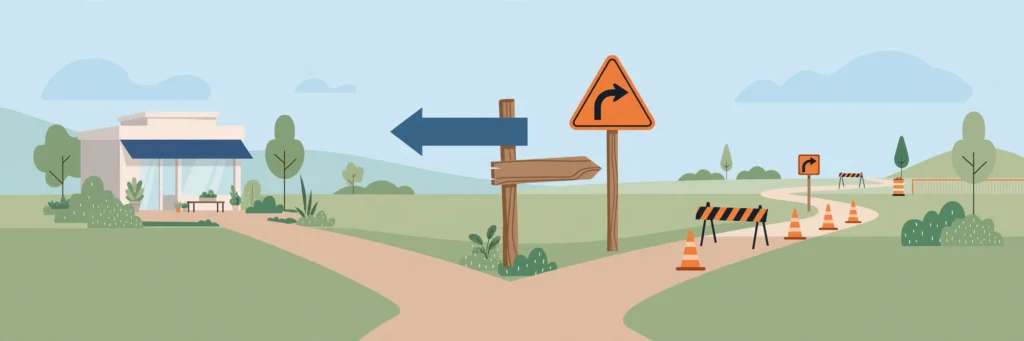
A 301 redirect tells Google a page has moved permanently, while a 302 redirect says the move is only temporary. So the rule is simple: use a 301 when the old page is gone for good, and a 302 when it will come back. Get it backwards and Google may keep showing a dead page — or quietly drop a page you still need.
Most owners never think about redirects until something breaks. You rebrand, delete an old service page, or rebuild your website — and a page that used to bring in enquiries vanishes from Google, or visitors land on a dead page and leave. The good news? A redirect is just a forwarding address for a web page: anyone visiting the old address is automatically sent to the new one. The only thing you must get right is which type to use, and this 301 vs 302 redirect guide settles exactly that.
301 vs 302 Redirect: The One-Question Test
Forget the numbers for a second. Every time you set up a redirect, ask one question: will the old page ever come back?
If the answer is no — the page is gone forever, the service is discontinued, the business has rebranded — use a 301. It tells Google, “This page has moved for good. Forget the old address and show the new one instead,” and Google moves the old page’s ranking signals to the new page.
If the answer is yes — the page is down for maintenance, you are running a short sale, or you are testing a new version — use a 302. It tells Google, “Hold on, this is temporary. Keep the old page in your results, because it will be back.” Remember it like this: 301 means “moved house, new address on the door.” 302 means “on holiday, back next week.” You would not tell the post office you have moved forever when you are only away for a fortnight — and Google feels the same way.

When to Use a 301 Redirect
A 301 is your default for anything permanent — and when in doubt, it is usually the safer bet, because most website changes turn out to be permanent even when people think they might reverse them. Reach for a 301 when:
- You rebrand or change domain. Every old page should 301 to its matching new page, not just to your homepage.
- You delete a page for good. A discontinued service should point to the closest equivalent page.
- You change a URL slug. The old slug still exists in Google’s index and in other websites’ links, so redirect it.
- You move from HTTP to HTTPS. Every old HTTP address should permanently redirect to its HTTPS version.
- You merge two pages. Two thin pages on the same topic become one strong page, and the weaker URL redirects to the winner.
One warning: a 301 is hard to undo in Google’s eyes. Once Google drops the old URL and replaces it with the new one, bringing the old page back means rebuilding its visibility from scratch. Only use a 301 when you genuinely mean “forever.”
When to Use a 302 Redirect
A 302 is for honest temporary situations, where the original page is still the real address and you fully intend to restore it:
- Site maintenance. Visitors go to a “we’ll be back soon” page while you fix things, and Google keeps the original page in its results.
- A short campaign. A Christmas offer or summer sale page takes over for a few weeks, then the original page returns.
- A/B testing. Half your visitors see a test version while Google keeps ranking the original. Once the test ends, the redirect comes off.
- A product temporarily out of stock. Shoppers go to a similar product for now, and the original product page keeps its rankings for when stock returns.
The most common — and most expensive — 302 mistake is using one for a permanent move. Some platforms and plugins quietly default to 302, so if you set up a redirect and never chose a type, check what it actually is. A permanent move stuck on a 302 means Google keeps indexing the old URL and never passes its full ranking value to the new page.

3 Redirect Mistakes That Cost Rankings
1. Redirect chains. A chain is when page A redirects to page B, which redirects to page C. Each hop slows things down and wastes Google’s crawl budget, and chains usually grow by accident when you later redirect a destination page. Every redirect should point straight to the final page.
2. Redirect loops. A loop is when page A redirects to page B, and page B redirects back to page A. Visitors see a browser error and Google cannot reach the page at all. If a page suddenly shows an error, a loop is the first thing to check.
3. Redirecting everything to the homepage. It feels tidy, but a visitor who clicked a link to your pricing page does not want your homepage — they want pricing. Always redirect to the closest matching page, and if no good match exists, let the page show a helpful 404 instead. Our guide to 404 errors and how to fix them explains when a 404 is actually the better choice.
One more habit: after setting up a 301, update your own internal links to point directly at the new page. Redirects are a safety net, not a permanent crutch. The same tidy-up applies to broken links across your site, which cost you the same kind of trust.
How to Set Up a Redirect on WordPress in 10 Minutes
You do not need a developer for this. On WordPress, the free Redirection plugin handles it in minutes:
- Install and activate Redirection, then open Tools > Redirection in your dashboard.
- Paste the old URL path (just the part after your domain, like /old-services) in the Source URL box.
- Paste the new URL in the Target URL box, and choose 301 or 302 — remembering the one-question test.
- Click “Add Redirect,” then test it in a private browser window and check you land on the new page.
- Check the plugin’s 404 log once a month: it shows which dead URLs real visitors are hitting, so you can redirect the ones that matter.
If your site is not on WordPress, your hosting panel or developer can add the same redirects at server level — the principle is identical. If all of this still feels like alphabet soup, our plain-English guide to technical SEO covers redirects alongside the other behind-the-scenes factors Google cares about. Google’s own Search Central documentation on redirects is also worth a bookmark.

A Quick Redirect Audit You Can Do This Week
Set aside 20 minutes: list every page you deleted, renamed, or moved in the last year. Click each old address and check it lands on the right new page — not your homepage, not an error. Flatten any redirect that sends you to another redirect, and check that no redirect points to a page that itself no longer exists. Repeat the audit every time you redesign, rebrand, or delete a batch of pages. It protects every link, bookmark, and Google ranking your old pages earned.
FAQs
What is the difference between a 301 and a 302 redirect?
A 301 redirect means a page has moved permanently, so Google replaces the old URL with the new one in search results and transfers its ranking signals. A 302 redirect means the move is temporary, so Google keeps the original URL in its results and does not transfer ranking value permanently.
How long does a 301 vs 302 redirect take Google to process?
Most 301 vs 302 redirect changes are processed by Google within a few days to a few weeks, depending on how often your site is crawled. Popular pages on frequently crawled sites can update within days, while large site migrations can take several months to fully consolidate in Google’s index.
Can I use a 302 redirect for a website migration?
No, a website migration is a permanent change, so it should use 301 redirects for every moved page. Using 302 redirects for a migration tells Google the old URLs may return, so the new pages may never inherit the old pages’ rankings and the old URLs can stay indexed indefinitely.
Do 301 redirects pass all of a page’s ranking value?
Google has confirmed that 301 redirects pass full ranking signals to the destination page, with no fixed percentage lost in the redirect itself. The destination page must still be relevant to the original topic, because a redirect to unrelated content will not preserve the old page’s rankings.
What happens if I redirect a page to my homepage?
Redirecting a deleted page to your homepage frustrates visitors who expected specific content and signals to Google that the redirect target is unrelated. Always redirect to the closest matching page instead, and use a helpful 404 page when no good replacement exists.
Redirects are one of those quiet SEO jobs that nobody notices when they work — and everybody notices when they do not. Get the one-question test right, avoid chains and loops, and point every old page at its true replacement. Do that, and every rebrand, redesign, and tidy-up becomes a safe move instead of a rankings gamble.
Pingback: Duplicate Content SEO: What It Is and How to Avoid It
Pingback: Canonical Tag SEO: The 60-Second Explanation
Pingback: HTTPS and SEO: Why SSL Still Matters in 2026 - Silver Crown Star Marketing